










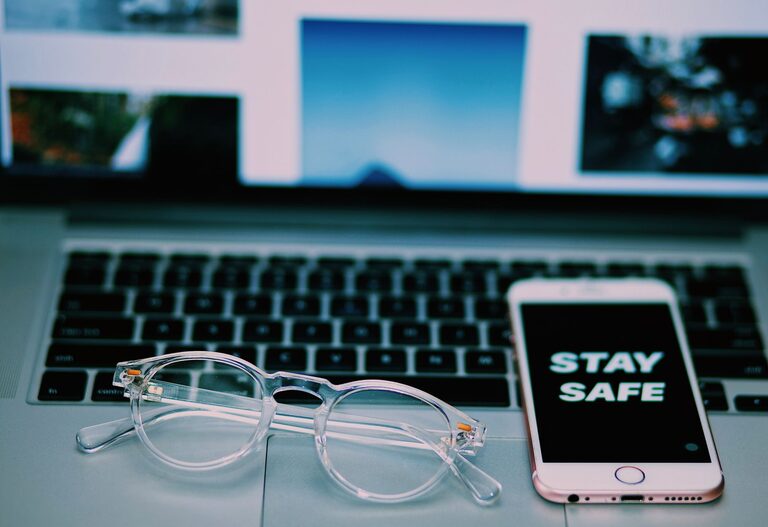
Keeping your phone and keyboard clean is important not only for hygiene but also for the longevity and performance of your devices. Since these gadgets are used daily and often come into contact with your hands and face, they can accumulate dirt, oils, dust, and germs. However, cleaning them incorrectly can cause damage. This guide will walk you through safe, easy steps to clean your phone and keyboard effectively.
Why Cleaning Your Devices Matters
Phones and keyboards tend to collect bacteria and grime from constant use. Over time, this buildup can lead to:
– Unpleasant odors
– Sticky or unresponsive keys
– Screen smudges and reduced visibility
– Potential spread of germs and illness
Regular cleaning helps maintain your devices’ appearance, improves functionality, and promotes a healthier environment.
—
What You Will Need
Before you start cleaning, gather these safe and easy-to-use supplies:
– Microfiber cloths: Soft and non-abrasive for screens and surfaces
– Isopropyl alcohol (70% or less): Effective disinfectant that evaporates quickly
– Distilled water: Prevents mineral spots and residues
– Cotton swabs: For tight spaces around keys and ports
– Soft-bristled brush or compressed air: To remove dust and crumbs
– Spray bottle (optional): For mixing water and alcohol solution
—
How to Clean Your Phone Safely
Step 1: Power Off Your Phone
Before cleaning, turn off your phone to prevent accidental touches and reduce the risk of damage.
Step 2: Remove Case and Accessories
Take off any phone case, screen protector, or attachments. Clean these separately with mild soap and water, then dry thoroughly.
Step 3: Prepare Cleaning Solution
Mix a solution of 50% distilled water and 50% isopropyl alcohol in a spray bottle. This mixture safely disinfects without harming your phone’s screen coating.
Step 4: Clean the Screen and Body
– Lightly dampen a microfiber cloth with your cleaning solution. Avoid soaking it.
– Gently wipe the phone’s screen and body, removing fingerprints and smudges.
– Use a dry microfiber cloth to buff the surface and remove streaks.
Step 5: Clean Ports and Buttons
– Use a dry cotton swab or soft brush to clear dust and debris from charging ports, headphone jacks, and buttons.
– Avoid inserting anything sharp or using liquids directly in these areas.
Step 6: Let It Dry
Allow your phone to air dry completely before turning it back on or replacing the case.
—
How to Clean Your Keyboard Safely
Step 1: Unplug or Turn Off the Keyboard
If you use a wired keyboard, unplug it. For wireless models, switch it off and remove batteries if possible.
Step 2: Remove Loose Debris
– Turn the keyboard upside down and gently shake to dislodge loose crumbs and dust.
– Use compressed air or a soft brush to clean between the keys.
Step 3: Prepare Cleaning Solution
Use the same 50/50 mixture of distilled water and isopropyl alcohol.
Step 4: Wipe Down the Keys and Surface
– Lightly dampen a microfiber cloth with the solution.
– Wipe the keys and keyboard surface thoroughly but gently.
– For crevices, use cotton swabs dipped in the solution, then wrung out well to avoid excess moisture.
Step 5: Deep Cleaning (Optional)
– For mechanical keyboards or those with removable keys, consider removing keycaps carefully using a key puller.
– Clean keycaps separately with mild soap and water.
– Wipe the keyboard base and let all components dry completely before reassembling.
Step 6: Dry and Reassemble
Ensure the keyboard is completely dry before plugging it back in or turning it on.
—
Additional Tips for Safe Cleaning
– Avoid harsh chemicals: Bleach, ammonia, or abrasive cleaners can damage screens and plastics.
– Don’t spray liquids directly: Always apply cleaning solutions to cloths first.
– Be gentle: Excessive pressure may damage screens or dislodge keys.
– Clean regularly: Aim for weekly cleaning of keyboards and daily wiping of phone screens to keep buildup minimal.
– Wash your hands: Clean hands reduce transfer of oils and germs.
—
Conclusion
Cleaning your phone and keyboard safely is simple when you use the right materials and follow a careful process. Regular cleaning protects your devices, promotes hygiene, and extends their life. With just a few household items and a few minutes, you can keep your tech looking fresh and running smoothly. Remember to always be gentle and avoid direct application of liquids to prevent any accidental damage.
Enjoy a cleaner, healthier workspace and phone with these easy tips!